

Are You Getting 100’s of Pesky Spam Comments on Your Showit + WordPress Blog?
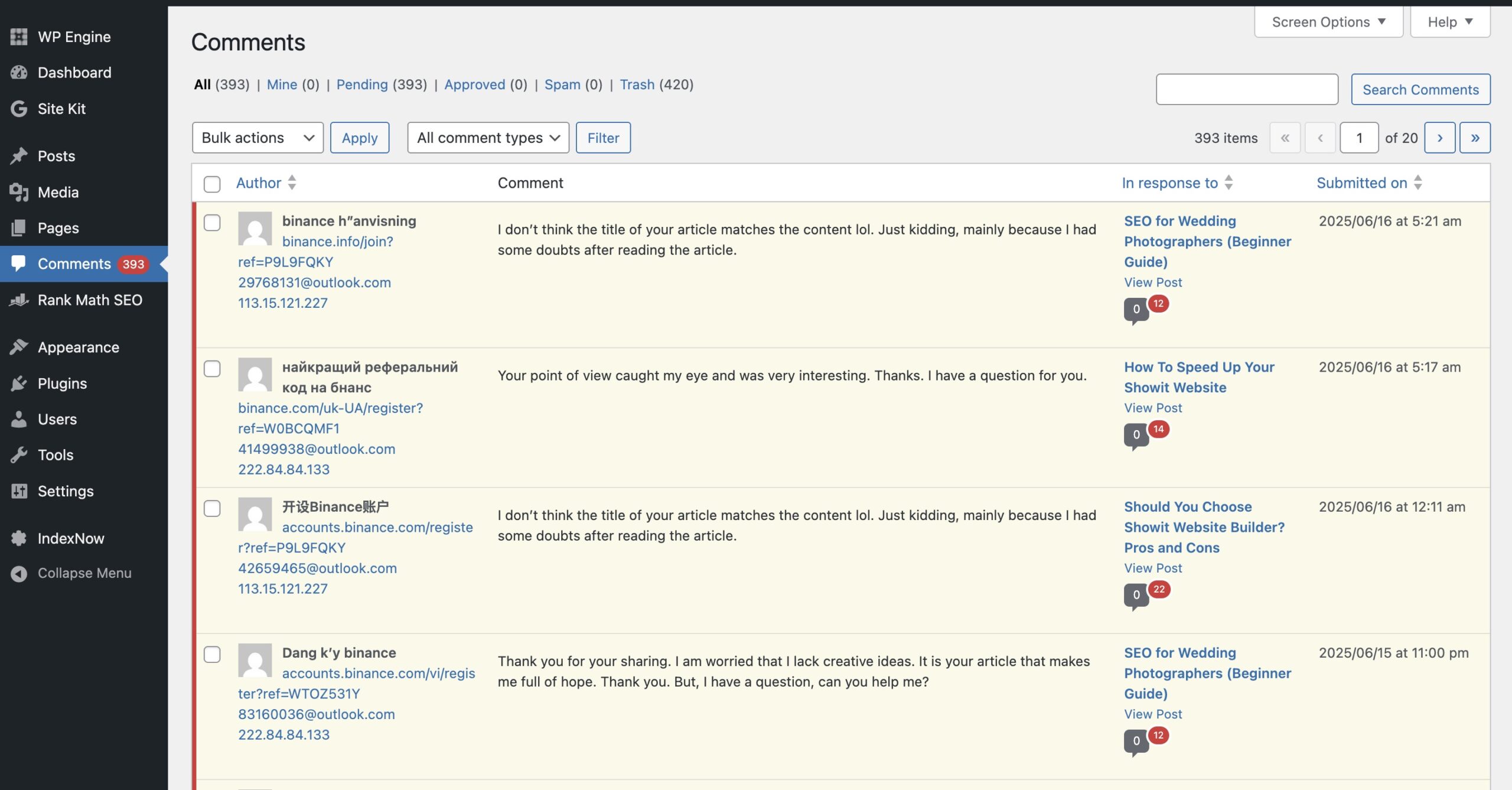
It’s annoying, right? You open your inbox and… surprise — more spam comments, even though you don’t even have a comment section on your website. What gives?
This is a super common issue for Showit users because while your beautiful site is built in Showit, your blog is powered by WordPress — and WordPress loves comments (even if you don’t). Spam bots know this and keep trying to sneak in through the backend.
So, whether you want to remove the comment section completely or keep it but block spam, here’s exactly what you need to do.
What to Do If You Don’t Want a Comment Section At All?
Perfect — let’s shut it all down so the bots have nowhere to go.
1. Remove the Comment Section in Showit
- Open your Showit design.
- Head to your blog post template and delete any comment canvas or form you’ve added.
- Republish the page.
This handles the front-end visuals, but spam bots don’t care if the section is “invisible.” They go straight to WordPress…
2. Turn Off Comments Sitewide in WordPress
- Log into your WordPress dashboard.
- Go to
Settings → Discussion. - Uncheck:
- ✅ “Allow people to submit comments on new posts”
- ✅ “Allow link notifications from other blogs (pingbacks and trackbacks)”
- Scroll down and save changes.
This stops new posts from receiving comments.

3. Disable Comments on Existing Posts
Stopping future comments doesn’t retroactively block old ones.
- Go to
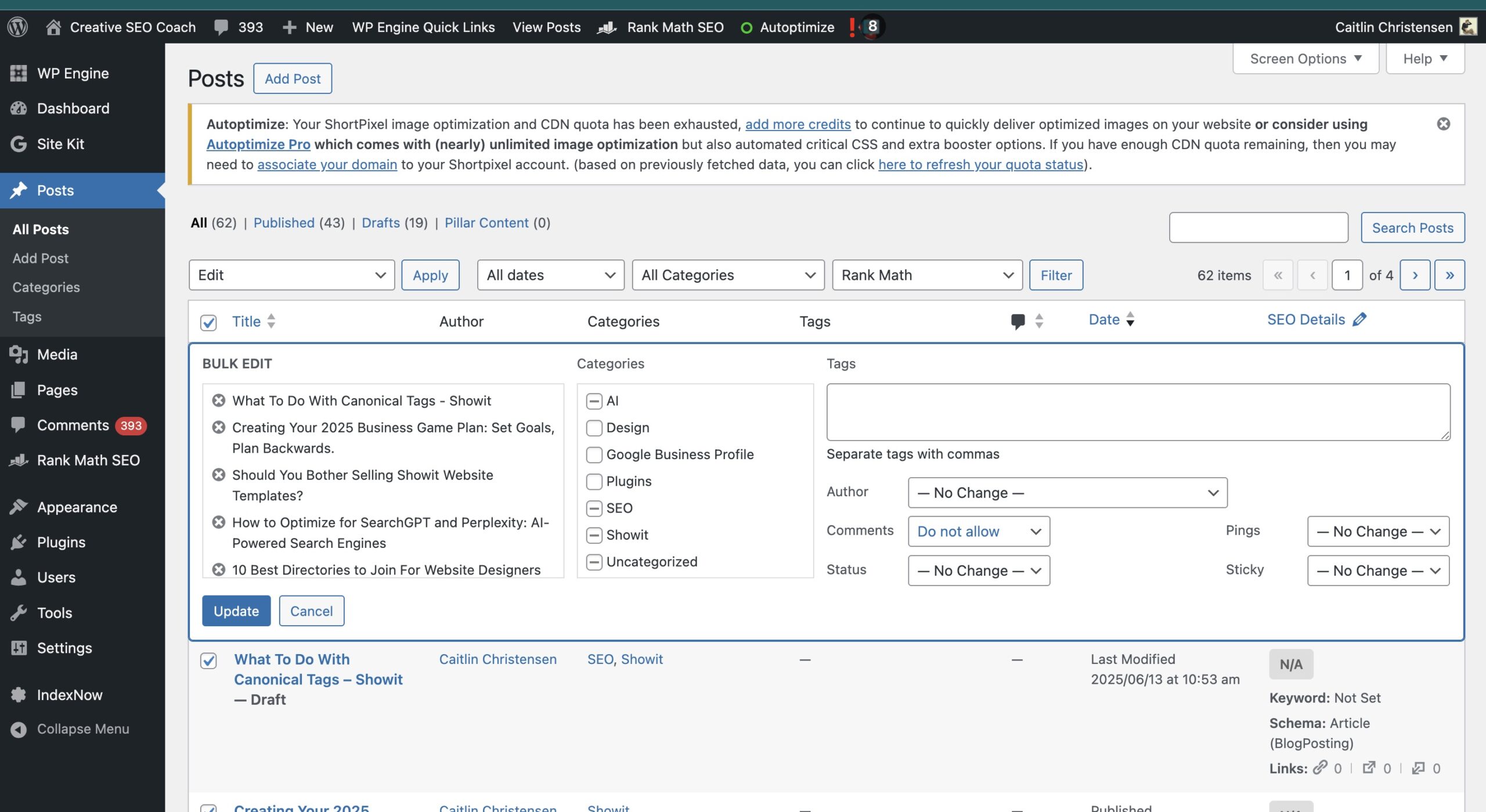
Posts → All Posts - Use the bulk editor:
- Select all posts → Bulk Actions: Edit → Apply
- Set Comments to Do Not Allow
- Click Update
Repeat this for all pages if needed.
What To Do If You Want to Keep Your Comment Section but Stop the Spam?
If you actually like having a comments section for engagement, you can still block the spam.
Here’s how:
✅ Install an Anti-Spam Plugin
Use a plugin like:
- Akismet Anti-Spam
- Antispam Bee – This is what we use.
- CleanTalk
These help filter out bot comments and reduce the junk flooding your inbox.
✅ Require Comment Approval
- In WordPress →
Settings → Diclscussion - Enable “Comment must be manually approved”
- You can also block links, keywords, and set up comment moderation rules
Final Thoughts
Spam comments are frustrating — especially when you’re not even using the feature that’s attracting them. Thankfully, a few quick WordPress settings and the right plugin can shut the door on spam for good. If you would like to learn how Showit and WordPress work together find out here.
If you need help cleaning up your WordPress blog or want to optimize your site for Google and AI (because SEO still matters), Check out the Showit SEO Experts.

Comments