Showit vs Squarespace: A Comparison from an SEO Specialist
Compare Showit vs Squarespace for SEO, blogging, design freedom and long-term maintenance so creative business owners can choose the right platform.

Summary: If you want high visual control, automated blogging and strong mobile design options, Showit is usually the better strategic choice for visibility. If you want a straightforward, all-in-one platform with simple built-in ecommerce and you are happy to publish blog posts manually, Squarespace is usually easier to live with.
Most creative business owners compare Showit and Squarespace based on templates and price. The problem is that long-term visibility, content and maintenance end up mattering more than the first week of design fun. This post looks at both platforms through a search-focused lens so you can choose based on how you actually plan to grow. By the end, you will know which platform matches your design ambition, content plans and tolerance for tech, and what to do next once you have decided.
Showit vs Squarespace: the quick SEO verdict
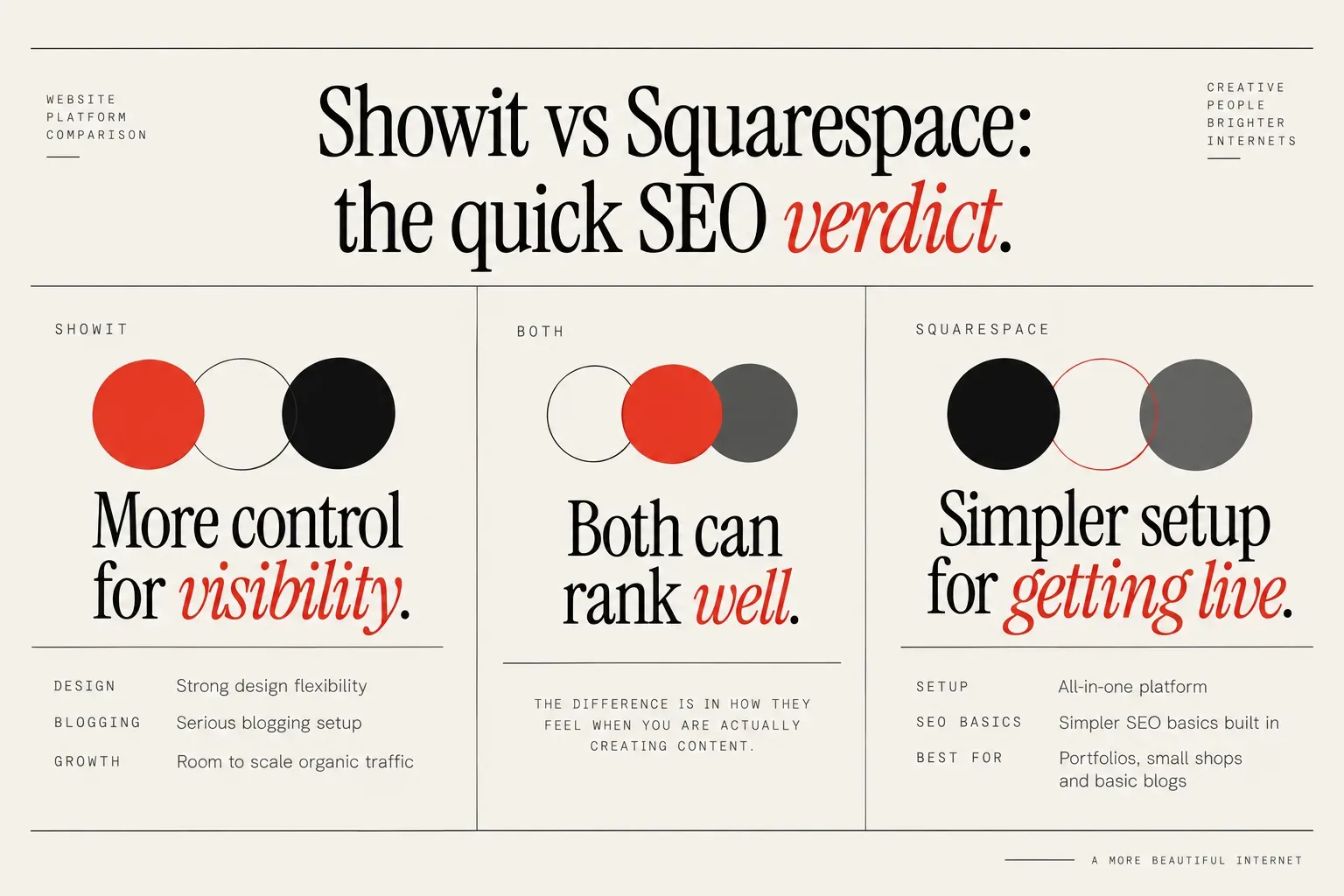
For a creative business that cares a lot about visibility and content, Showit is usually the better fit if you want strong design flexibility, a serious blogging setup, and room to scale your organic traffic. Because it pairs visual design with WordPress blogging, you get more control over how you publish and optimize content, along with better mobile layout options.
Squarespace is usually the lower-friction choice if you want an all-in-one platform with simpler SEO basics built in and minimal tech setup. Its templates and commerce features are designed to get you live quickly, and it handles straightforward portfolios, small shops and basic blogs well, as long as you are happy to log in and publish each post manually.
Both can rank well. The difference is in how they feel when you are actually creating content, tweaking layouts and maintaining the site for years, not months. That is where Showit tends to win on control and Squarespace tends to win on simplicity.
What really matters for SEO on any platform
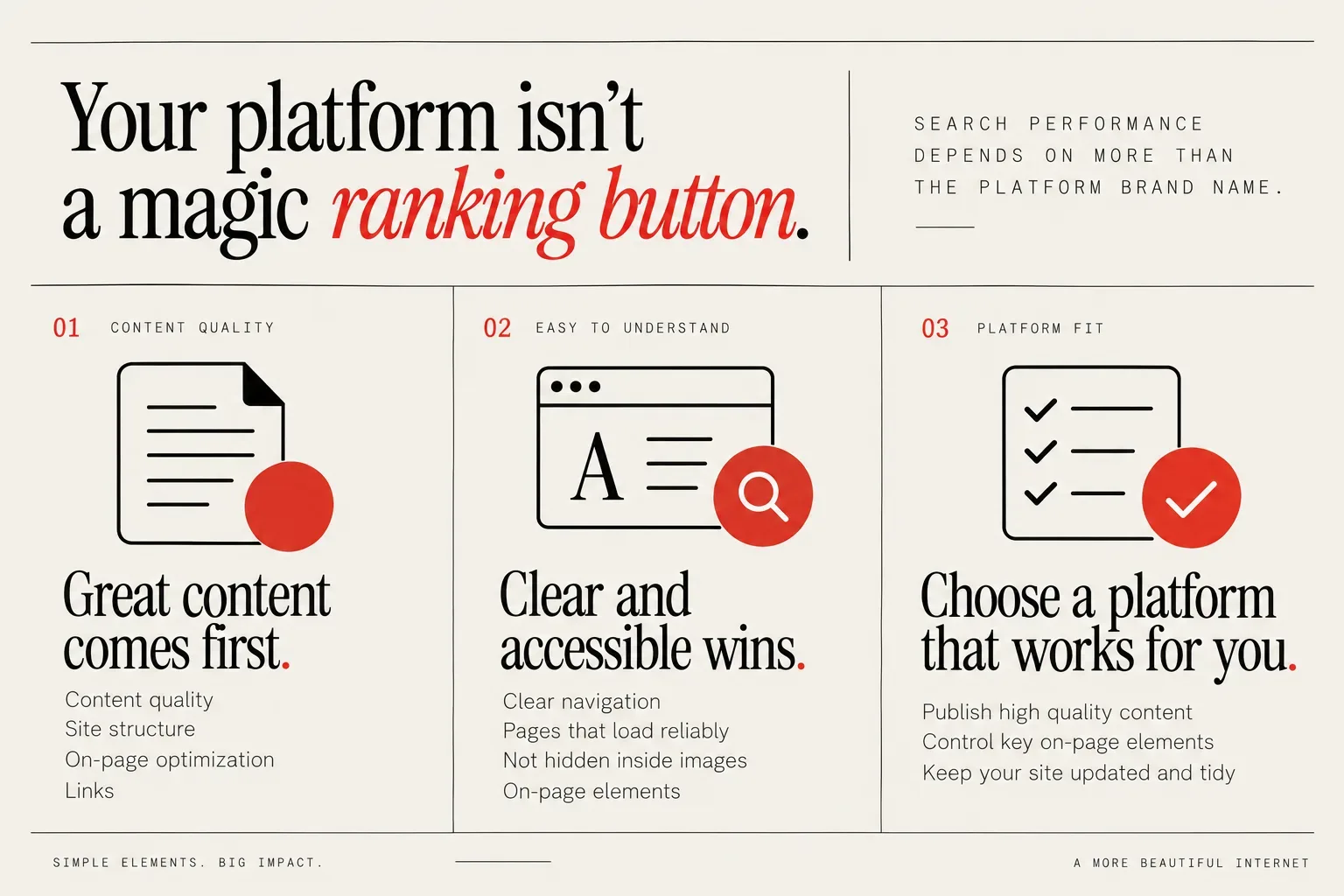
The most important thing to understand is that your platform choice is not a magic ranking button. Search performance depends more on content quality, site structure, on-page optimization and links than on the platform brand name.
Google and AI tools like Claude and ChatGPT do not have a preference for specific website platforms or CMSs; they care about how easy your site is to read and understand. If your content is clear, well structured and technically accessible, they can work with either Showit or Squarespace.
What really matters is that your website is technically sound, easy to use and accessible to bots as well as humans. That means clear navigation, pages that load reliably, content that is not hidden inside images, and basic on-page elements that describe what each page is about.
Your site can look beautiful to humans but still be hard for bots to understand if the technical SEO and on-page SEO aren’t set up well. That is often what happens when a design pushes text into images, adds too many overlapping elements, or buries important content in accordions and pop ups.
So when you compare Showit vs Squarespace, ask yourself:
- Will this platform make it easy for me to publish high quality, text-based content consistently?
- Can I clearly control titles, headings, URLs and image alt text?
- Is it realistic for me to keep the site updated and tidy as my offers evolve?
If the answer is yes, the platform will not hold you back. The rest is about fit with your design style, content workflow and business model.
Design freedom and branding: Showit vs Squarespace
Showit is known for high design flexibility and layered, canvas-based layouts that suit photographers and visual brands who want a bespoke look. You design almost like you would in a tool such as Canva, placing elements freely on canvases instead of being locked into a strict grid.
That freedom is powerful if you have a strong visual identity or you are working with a designer. You can create layouts that look like your brand, not like a platform template you have seen 20 times on Instagram. It is especially popular among photographers, designers and other creatives who want big imagery, overlapping elements and more editorial layouts.
The flip side is that more freedom means more responsibility. It is easier to create pages where text overlaps images, elements misalign on different screen sizes, or important content appears much lower on the page than it should. You need to keep usability and readability in mind as you design.
Squarespace takes a more structured approach. You start from pre-designed sections and blocks, which guide you into layouts that are usually clean and consistent. For many DIYers, that feels safer. You can still customize fonts, colors and imagery, but the basic spacing and alignment are harder to break.
From a visibility perspective, either approach can work. Where this choice really matters is how much you care about a distinctive visual brand versus how much you value guardrails. If your business relies on a standout, art-directed look and you are willing to think about accessibility and hierarchy, Showit gives you room to do that. If you want a faster, more contained build with fewer ways to go wrong visually, Squarespace will likely feel calmer.
Blogging and content: Showit plus WordPress vs Squarespace
Blogging is where the platforms diverge most for visibility-focused creatives.
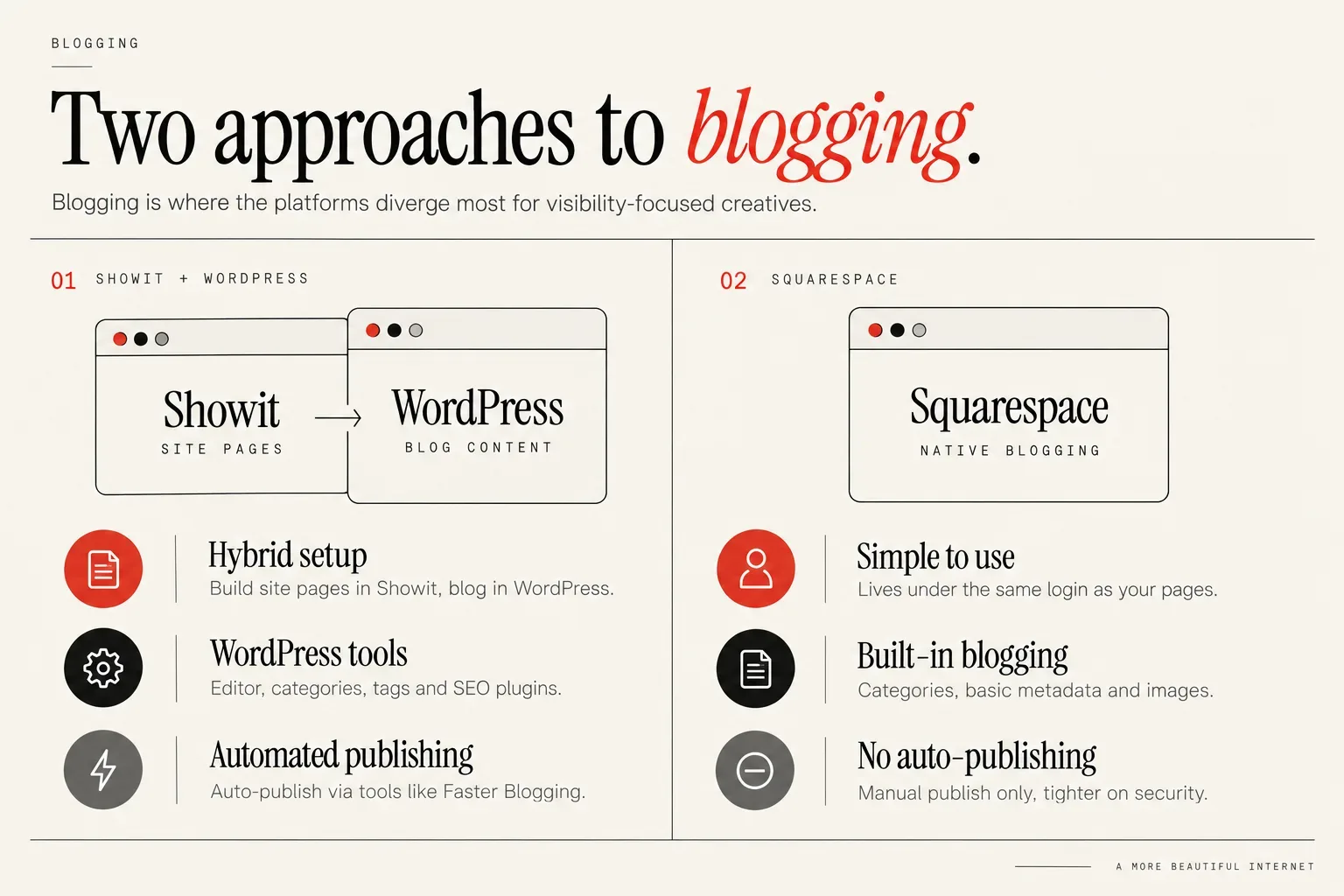
Showit uses WordPress for blogging, and the owner recommends and uses Fasta Blogging to set up automated blogging workflows for clients. Your main site pages are built in Showit, while your blog content lives in WordPress and is pulled into your Showit blog templates.
This hybrid setup gives you the WordPress editor, categories, tags and access to SEO plugins, while keeping your blog visually consistent with the rest of your site. With Showit + WordPress, you can auto-publish blog posts via tools like Fasta Blogging, which is a big advantage if you want to systemize consistent content for SEO. For example, you can draft posts in a separate tool or workflow, schedule them and let them publish without logging in each time.
Squarespace uses its own native blogging system. It is simple to use, lives under the same login as your pages and store, and supports categories, basic metadata and images. For many creatives, it feels tidy and contained.
The tradeoff is automation. Squarespace is much tighter on security and does not allow this kind of true auto-publishing from external tools, so you have to log in and manually click to publish each post. If a reader wants any sort of automated blogging or content publishing workflow, the owner would not recommend Squarespace for that use case because of the manual step required.
If you plan to publish one blog a month and you like doing it by hand, that friction might not matter. If your long-term visibility strategy involves publishing lots of content, repurposing posts or delegating blog creation, the Showit + WordPress setup pairs better with that level of systemization.
If you want a deeper dive into how this combination works in practice, the breakdown in What is Showit? A Complete Guide to Features, SEO and Customization is a useful next read.
SEO tools and control on Showit vs Squarespace
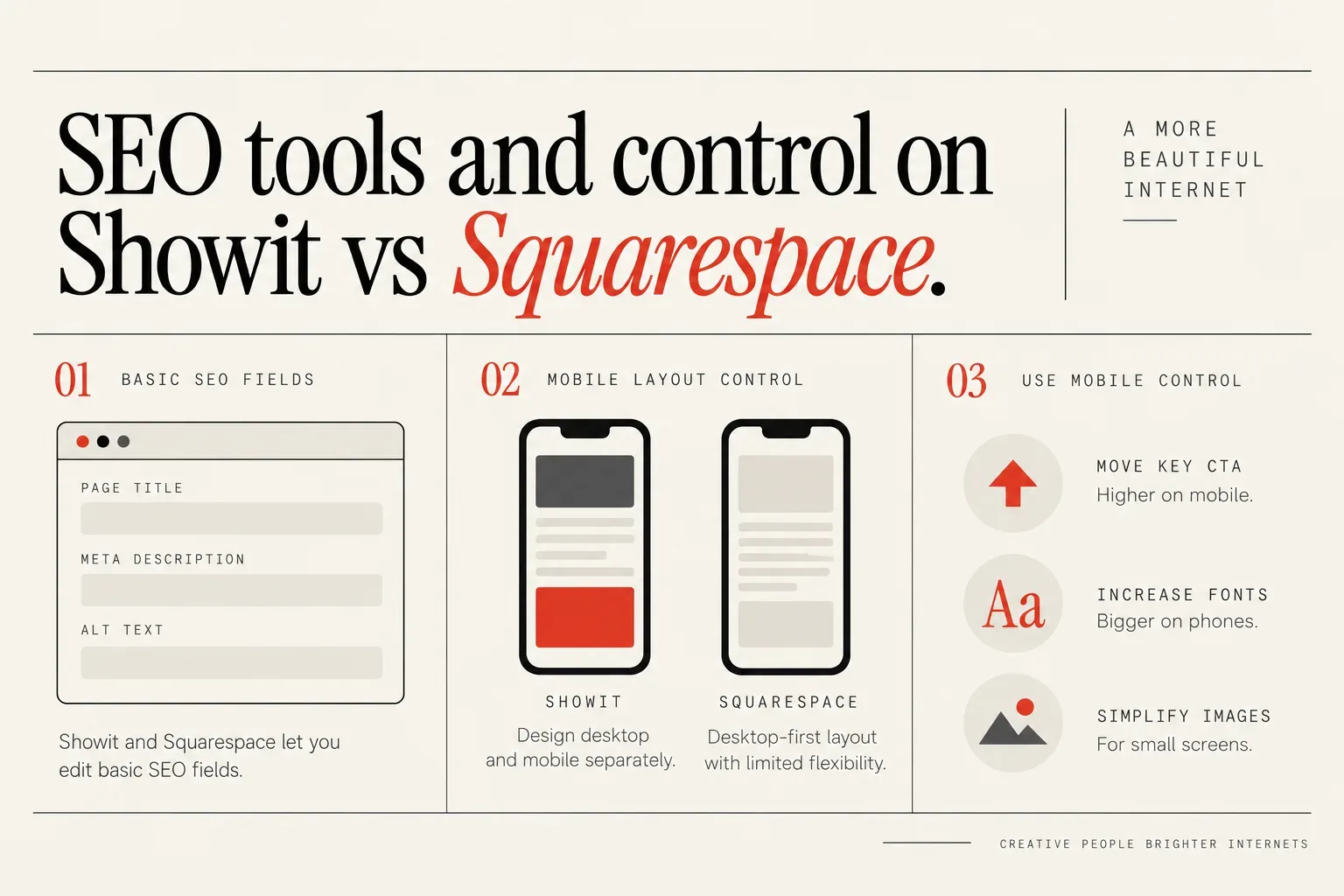
From a control perspective, both Showit and Squarespace let you edit basic SEO fields like page titles, meta descriptions and alt text, which are table stakes for ranking. You can also set pretty URLs and customize heading text, which covers most daily on-page tasks.
The gap shows up in layout control for mobile. Google is mobile-first, so how a site works on mobile matters more than how it looks on desktop. Your beautifully layered homepage does not help much if it becomes unreadable on a phone.
Squarespace is designed desktop-first, then essentially clones that layout to mobile with limited flexibility to change the structure specifically for mobile. You can adjust some spacing and hide certain blocks, but you cannot fully rearrange most content just for phones. For simple, stacked layouts that can be fine, but it gives you less room to optimize mobile experience when your desktop design gets more complex.
Showit lets you design desktop and mobile almost like two separate layouts, which means you can prioritize a better mobile experience, even though the owner doesn’t recommend creating totally different sites for each. You can move elements, resize text and simplify sections on mobile while keeping a more designed feel on desktop.
This level of control is powerful if you use it intentionally. It lets you do things like:
- Move your key call to action higher on mobile
- Increase body font sizes only on phones
- Simplify complex image overlays for small screens
If you combine that with clear headings, crawlable text instead of text baked into images, and thoughtful internal linking, either platform gives you enough SEO control to do strong on-page work. The choice is whether you want that extra layer of visual control on mobile or you prefer the platform to handle most of that automatically.
If you know you will want expert help getting the on-page foundations right, Is Showit Good for SEO? We Ask The Experts pulls together more specialist perspectives on working with Showit.
Ecommerce, bookings and integrations
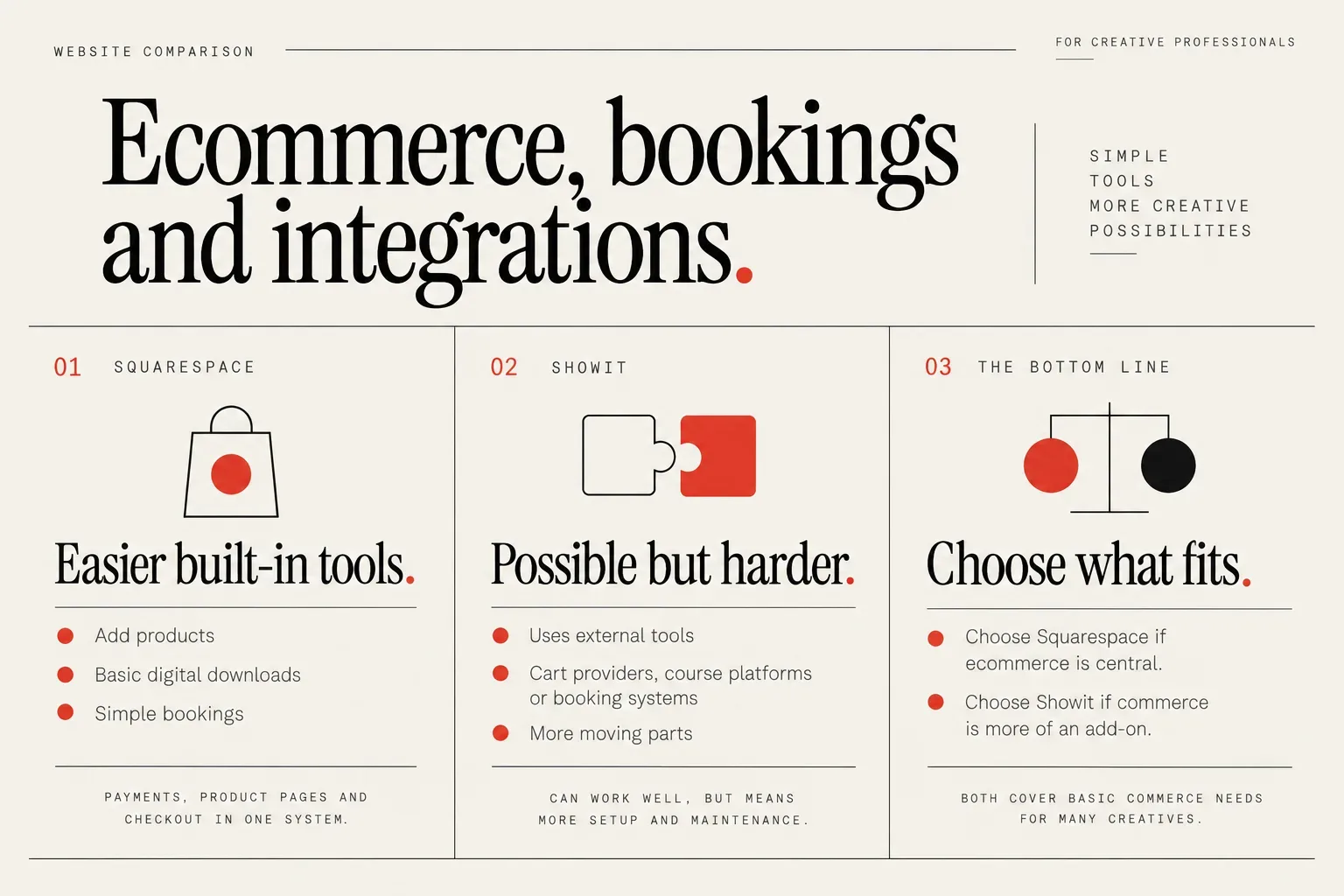
Neither Showit nor Squarespace is a dedicated ecommerce platform, but they both cover basic commerce needs for many creatives.
The owner sees Showit and Squarespace as quite similar overall in terms of being easy to design with for most clients. You can create sales pages, services pages and portfolios on either without deep technical knowledge.
One key difference they emphasize is that Squarespace handles ecommerce a little more easily with built-in tools, while Showit makes ecommerce possible but harder and more pieced together. On Squarespace, you can add products, basic digital downloads and simple bookings through its native features. Payments, product pages and checkout all stay within the same system.
Showit usually relies on external tools for selling: cart providers, course platforms or booking systems embedded into your pages. All of this can work well, but it means more moving parts to set up and maintain.
For someone who cares a lot about simple, built-in ecommerce, Squarespace will usually feel easier to live with than Showit. If your main income is from prints, presets or straightforward digital products and you want the platform to handle most of the store logic, that built-in layer saves time.
If you sell higher-ticket services, custom projects or offers that are booked via form rather than direct checkout, either platform works and the decision tilts back toward design and blogging. It can also help to think about how your tools integrate: schedulers, email marketing platforms and CRMs will usually connect with both, but the path may be slightly tidier inside Squarespace.
The bottom line: choose Squarespace if ecommerce is central and you want it baked in. Choose Showit if commerce is more of an add-on and you prioritize design and content first.
Pricing and long-term costs to own
Pricing for both platforms shifts over time, so the most helpful comparison is around patterns and ownership, not exact numbers.
Squarespace typically feels more predictable and all-in-one, with hosting, templates and many features bundled into one subscription. You pay one platform, log into one place, and most core tools are included. Over a few years, that can be easier to budget for, especially if you keep things simple.
With Showit, you are usually paying for Showit itself, plus whatever add-ons you choose to layer in. That might include your WordPress-related costs, certain premium plugins and any external tools you use for ecommerce, bookings or automation. You also may be more likely to invest in custom design, because the platform’s flexibility invites it.
In practice, a Showit site that takes visibility seriously often involves:
- The Showit subscription
- Your domain registration
- Optional paid plugins or content tools
- Occasional expert help for design or SEO
A Squarespace site often involves:
- The Squarespace subscription
- Your domain registration (sometimes bundled)
- Possibly a few third-party tools, but usually fewer
Over the long term, Showit can cost more in both money and time, but you are paying for additional control and customization. Squarespace tends to be more stable and lower-maintenance, at the cost of some flexibility.
Ease of use, support and who each platform suits
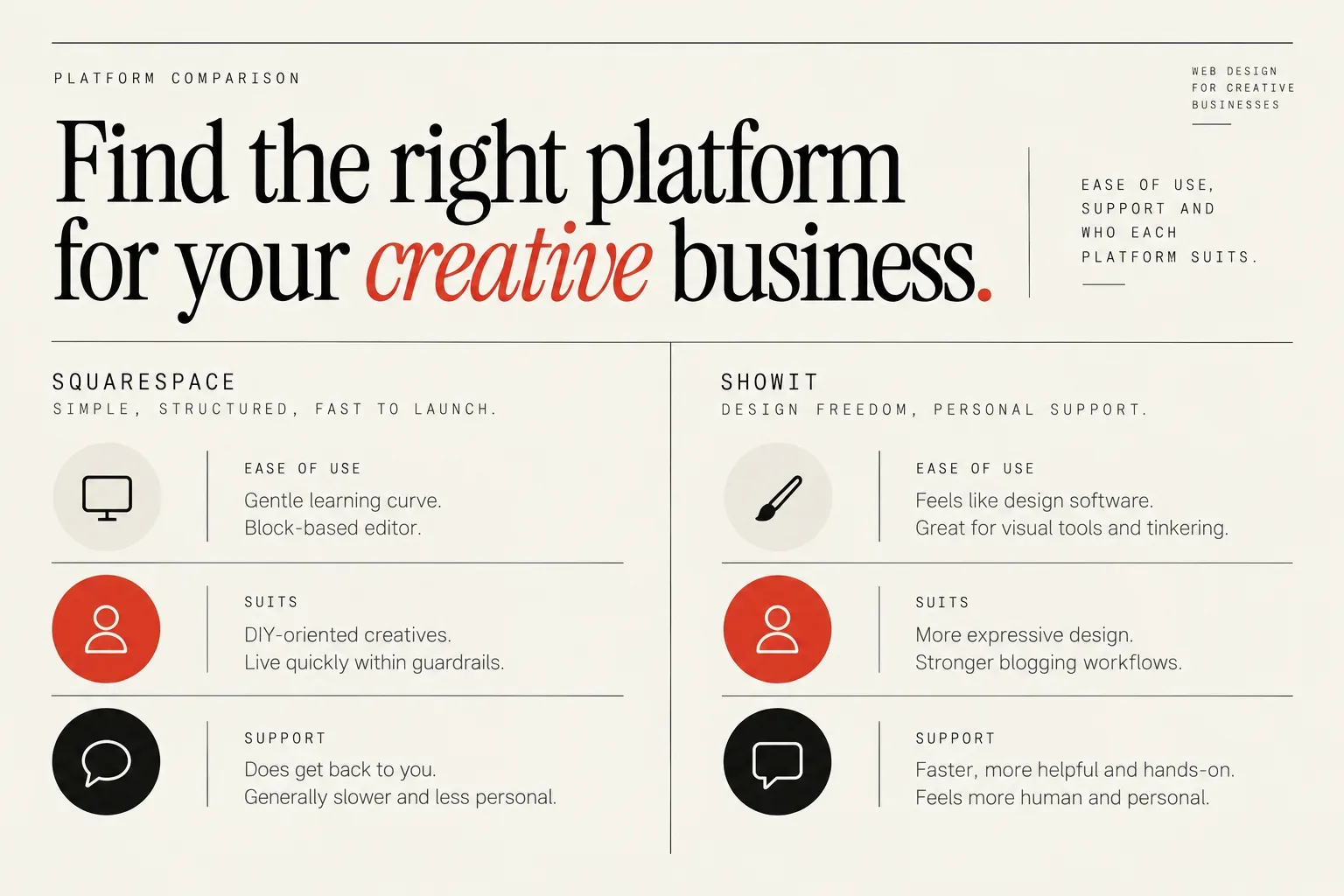
For day-to-day use, Squarespace generally suits DIY-oriented creatives who want to get a solid site live quickly and are comfortable living within template guardrails. The interface is consistent, the learning curve is gentle, and the block-based editor keeps you from breaking layouts too badly.
Showit feels different to use, because it works more like design software than a traditional website builder. If you enjoy visual tools and you like tinkering, it will likely feel natural. If you prefer clear rules and grids, it can feel like too much space at first.
Support is an important part of ease of use, especially if you are not technical. In my experience working with both platforms, Showit’s customer support tends to respond faster than Squarespace support. I find Showit support more helpful and hands-on overall than Squarespace, even though Squarespace is the bigger company.
Showit’s support feels more human and personal to me. I can tell there are real humans there engaging with my questions, which I really like. Squarespace support does get back to you, but it generally feels slower and a bit less personal than Showit support in my experience.
Putting it together:
- Choose Squarespace if you want one login, built-in commerce and a “color inside the lines” editing experience.
- Choose Showit if you want more expressive design, stronger blogging workflows and you value fast, personal support while you build.
If you know you will pull in outside help either way, browsing examples of live projects can be a helpful way to feel the difference beyond feature lists. The Creative Designer Directory is full of real Showit builds at every stage of business that you can explore for that reason.
Checklist: how to choose between Showit and Squarespace
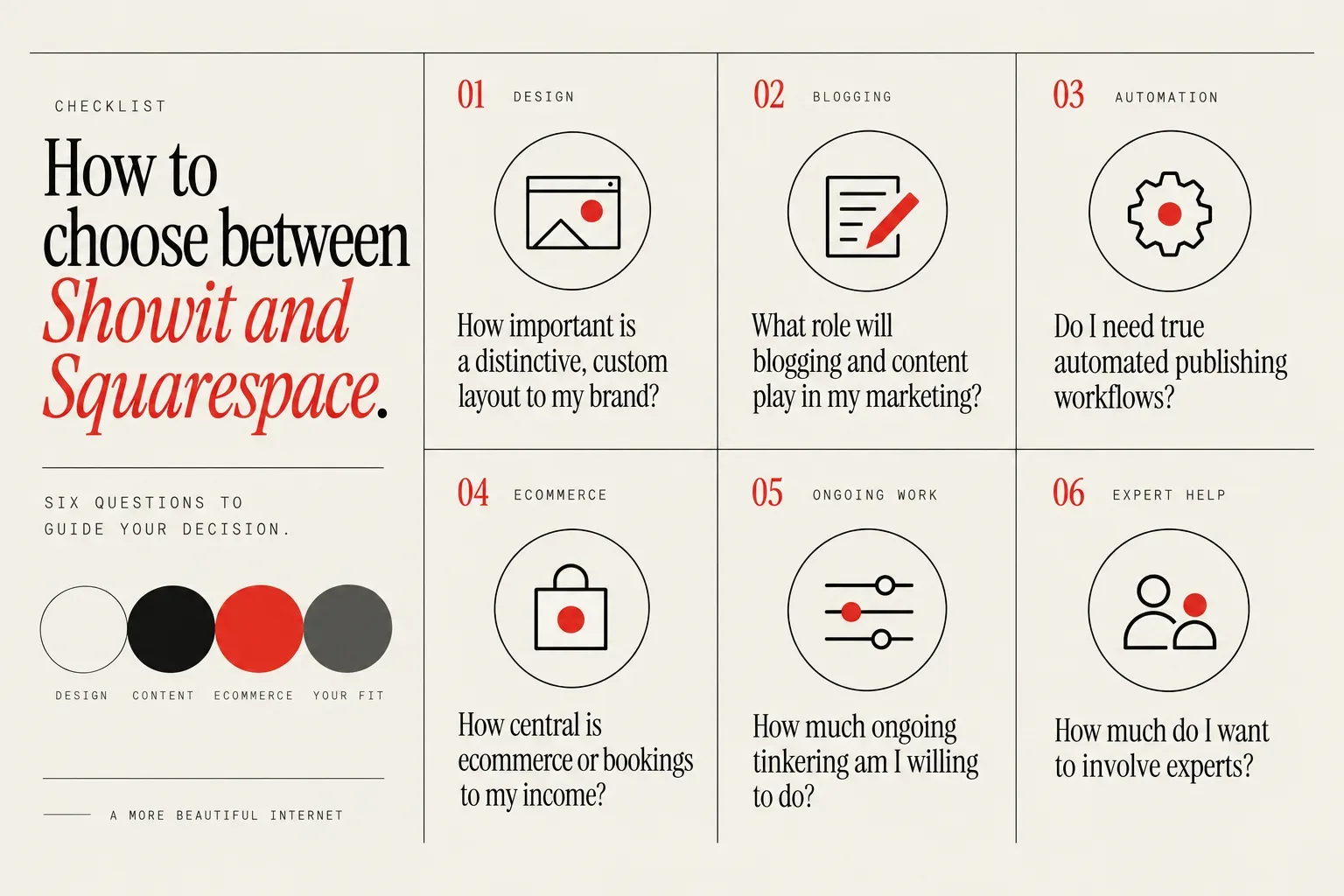
Turning this into a decision is easier if you run through a few focused questions. Questions around design ambition, blogging plans, visibility goals, ecommerce needs and willingness to manage tech should drive the decision more than hype.
Ask yourself:
How important is a distinctive, custom layout to my brand?
If “my site should not look like a template” is a strong feeling, lean toward Showit. If you are happy with a clean, modern template that you tweak with your colors and images, Squarespace is often enough.
What role will blogging and content play in my marketing?
If you want to publish frequently, automate parts of your content workflow, or build a serious content library, the Showit + WordPress combination is usually the better foundation. If you blog occasionally and do not mind logging in to hit publish every time, Squarespace will be fine.
Do I need true automated publishing workflows?
With Showit + WordPress, you can auto-publish via tools like Fasta Blogging. Squarespace does not allow that level of external auto-publishing, so you must manually publish. If automation matters, that one detail is a big deciding factor.
How central is ecommerce or bookings to my income?
If selling products or running a tight, built-in store and scheduling system is core, Squarespace usually wins on simplicity. If you mostly sell services via inquiry forms or higher-touch sales calls, and you just need a few checkout links, either platform works.
How much ongoing tinkering am I willing to do?
If you like design and do not mind learning quirks, Showit will reward you with control. If you want to set up once, change text now and then, and otherwise forget the tech, Squarespace’s guardrails may reduce stress.
How much do I want to involve experts?
Showit pairs very well with designers and visibility specialists because of the control it gives them. Squarespace can still benefit from expert help, but is usually aimed more at DIYers.
If you find yourself saying “I want custom design, serious content and I am happy to invest in help when needed,” Showit is probably your platform. If you say “I want a nice site with simple ecommerce that I can update myself and I am okay with a more templated feel,” Squarespace is a safer call.
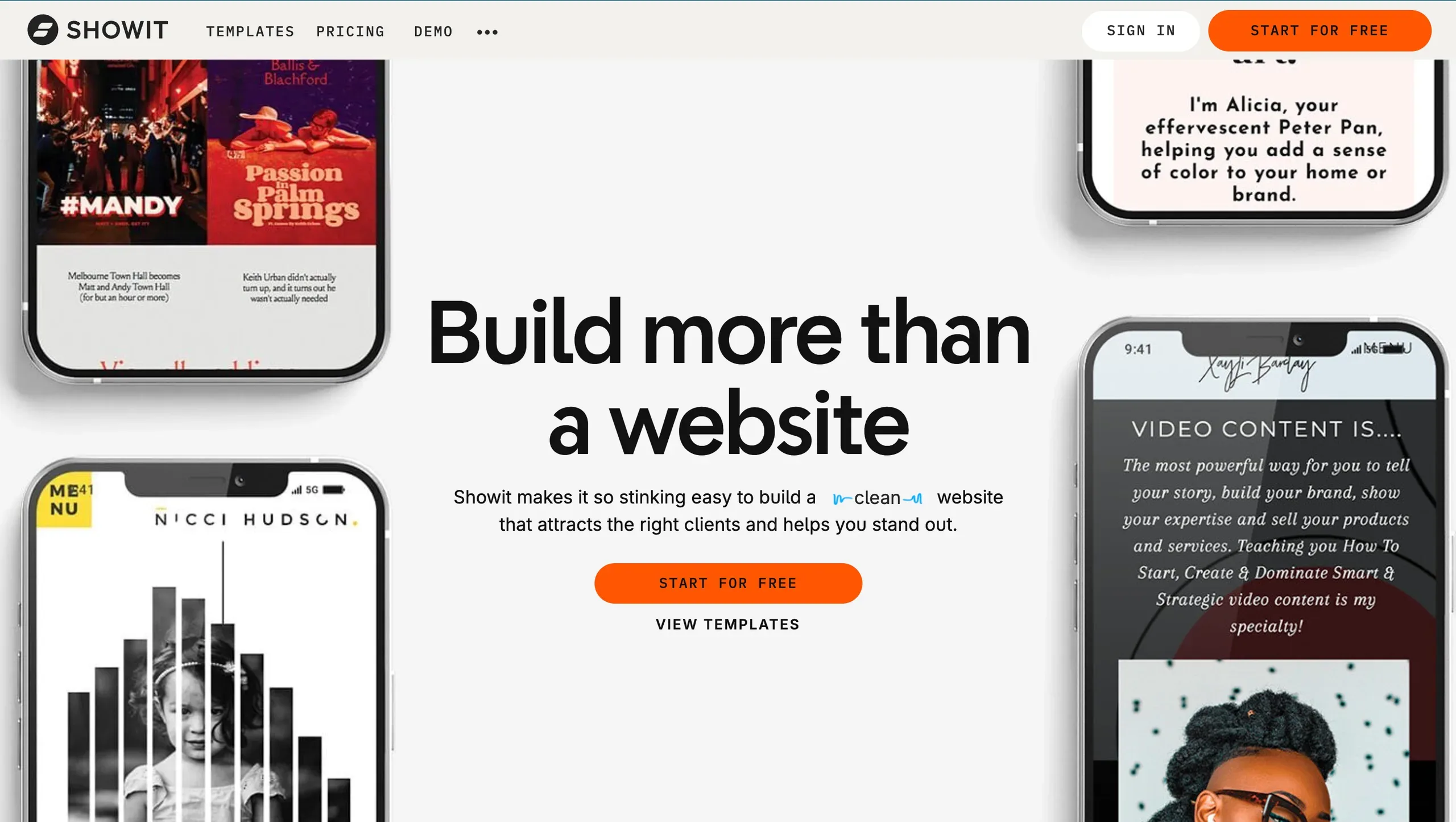 The homepage highlights Showit website templates and custom design options.
If you choose Showit, what to do next
Once you decide on Showit, the big early choices are how you build it and how you bake visibility into your plan from day one. After choosing Showit, the main early decisions are whether to DIY with a template, hire a designer or do a hybrid, and how to plan for visibility from the start.
A simple path looks like this:
Decide on DIY, done-for-you or hybrid.
- DIY with a template works if you enjoy design and have time to learn.
- Done-for-you is ideal if you want a custom brand experience and you value your own time more than tinkering.
- Hybrid (designer sets the structure, you handle content) can balance control and budget.
Choose a starting point.
If you want to try the platform before investing heavily, 10x Free Showit Templates You Can Use: No Strings Attached is a low-risk way to experiment with layouts and see how the editor feels.
Plan your visibility foundations before you design.
Map your main services, audience questions and locations to pages and blog topics before you start dragging elements around. This helps you build a structure that search engines can understand rather than a collection of pretty canvases.
Get expert help where it moves the needle most.
You might have a designer set up a conversion-focused homepage and services pages, then invest in specialist help for on-page optimization and blogging. Services like a custom showit website design SEO starter kit and showit SEO done for you can help you launch with foundations in place instead of trying to patch things later.
Set up your content systems early.
If you plan to use Fasta Blogging or similar tools, get those connected before you have 20 posts to migrate. It is much easier to establish workflows while your site is still small.
If you reach the point where you want someone to lead on design or visibility, the Creative Designer Directory was created by an SEO specialist to make that process simpler. You can browse by niche, style and service type, then contact creatives directly, with no commissions in the middle.
FAQ: Showit vs Squarespace for creative businesses
Which platform is better for visibility: Showit or Squarespace?
Neither platform is “better for SEO” in isolation; both can rank if you use them well. The real difference is that Showit gives you stronger blogging workflows and more layout control, especially on mobile, while Squarespace keeps things simpler and more contained. Your content quality, structure and consistency will matter more than the brand name.
Do I need to know code to use Showit or Squarespace?
You can build and run a full site on both platforms without writing code. Showit behaves more like design software, while Squarespace is more template-led. You might touch code-like settings if you add tracking scripts or connect advanced tools, but most daily edits stay inside visual editors.
What should I know about migrating between Showit and Squarespace?
Moving between them is possible, but it is not a one-click switch. Design elements usually need recreating, and blog content moves via exports, imports or manual copy-paste depending on direction. If you have a lot of content or complex layouts, getting help from a specialist who has done that specific migration before will save you time.
If you decide Showit is the right home for your creative business, you can find designers, visibility specialists, brand designers and copywriters who work with it every day inside the directory; start by exploring real projects and profiles here: Browse Showit Designers.
How much a Showit website costs is answered with the medians designers list on the directory, and the sample size beside each figure.