Local SEO tips for Showit designers
Learn how local SEO works for Showit designers, from site structure and metadata to blogs, Google Business Profile, citations and reviews.

Summary: Local SEO for Showit designers is about treating your portfolio site like a local service business. You help Google understand what you do, where you are based, and which clients you want, then back that up with profiles and reviews around the web. You can still work remotely with anyone, but a strong local footprint gets you in front of nearby clients who are already searching.
If you mostly book clients through referrals, Instagram or DMs, it can feel strange to think about being found locally at all. You might not meet clients in person, and you probably do your projects entirely online. Still, those nearby businesses are typing “website designer in [your city]” into Google or ChatGPT right now. This post walks through how being found locally works when you are using Showit and WordPress, and gives you a practical plan you can follow without turning into a full-time SEO consultant.
What is local SEO for Showit designers?
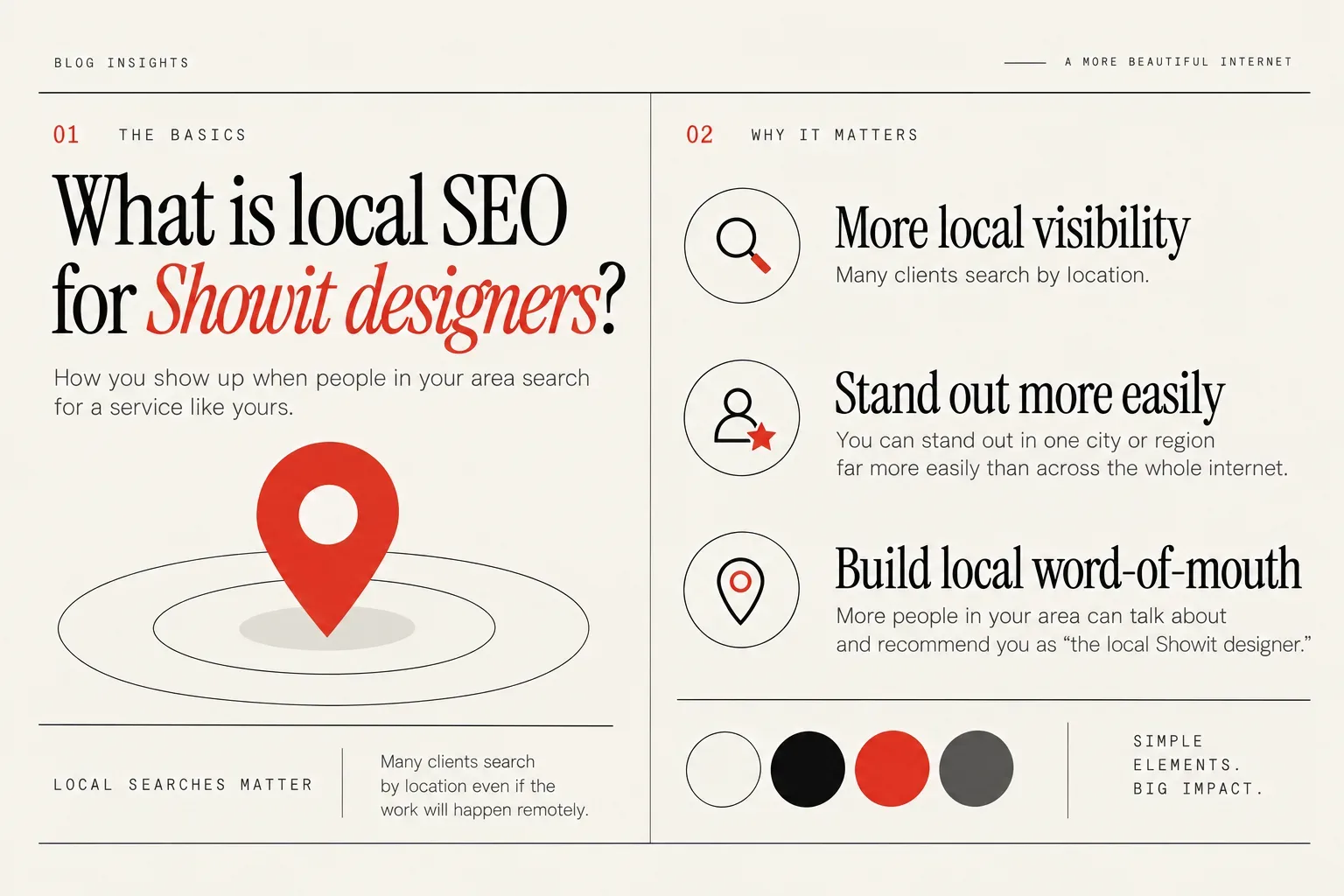
Local SEO is simply how you show up when people in your area search for a service like yours. It matters for Showit designers because many clients search by location even if the work will happen remotely.
Google says local visibility depends mainly on relevance, distance, and prominence and it notes that complete business information, reviews, replies and links can influence local results (Google Business Profile guidance). For you, that means being clear about what you do, where you are and giving Google enough signals to trust that you are a real, active business.
If you are a newer Showit website designer competing with others who have been designing on Showit for much longer, one of your biggest SEO opportunities is to niche down. Local is one of the most practical ways to do that, because you can stand out in one city or region far more easily than across the whole internet.
Niching by location is a practical SEO strategy: state clearly where you live, claim that as your main location, and optimize for that city, region or even state while still mentioning that you serve clients nationwide or globally. That lets you keep booking dream clients from anywhere while also building a steady base of people who literally search your city name plus “web designer”.
Even if you want to be seen as a global designer, many businesses still prefer to hire locally and search for a designer in their city or state, so showing up for those local searches is valuable. When you niche down by location, you also increase the chances of local word-of-mouth because more people in your area are talking about and recommending you as “the local Showit designer.”.
Beyond location, it is also smart to niche by industry (for example, only doing wedding websites or fitness industry websites), which further reduces competition and attracts clients who want a specialist in their niche. Your local positioning then becomes “wedding Showit designer in [city]”, which is specific enough that ranking is much more achievable.
Local SEO for a Showit + WordPress setup is not a different playbook. It is the same core ideas, translated into your Showit pages and your WordPress blog posts, with a couple of extra pieces like profiles, reviews and directories.
Step 1: Choose your local keywords and service area
Before you start editing Showit settings, you need to decide the locations you actually want to show up for. This is what shapes your phrases, your content and how focused you can be.
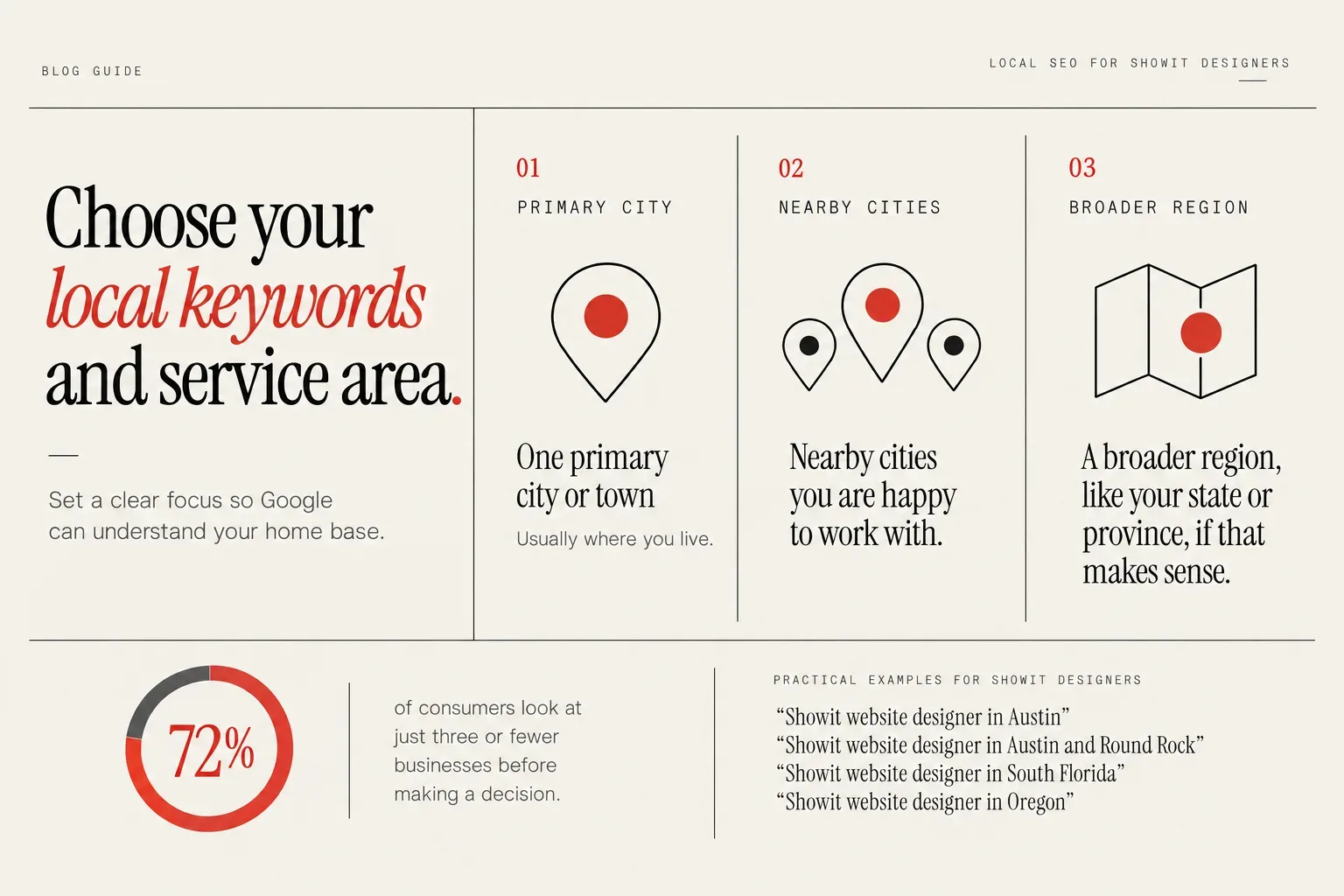
At a minimum, choose:
- One primary city or town, usually where you live
- Nearby cities you are happy to work with
- A broader region, like your state or province, if that makes sense
This sets a clear home base, which Google can understand, without closing the door on remote projects.
Consumers are also not spending hours comparing options. One study from BrightLocal found that 72% of consumers look at just three or fewer businesses before making a decision. You do not have to dominate every city to win, you just need to get into that small shortlist in your chosen area.
There are a few practical patterns that work well for Showit designers:
- One main city: “Showit website designer in Austin”
- City + nearby suburbs: “Showit website designer in Austin and Round Rock”
- Metro or region: “Showit website designer in South Florida”
- State-level: “Showit website designer in Oregon”
Pick one of these levels as your primary focus. Trying to optimize equally for ten cities usually means you dilute your efforts so much that nothing ranks well.
A clear local focus on your site also does not stop you adding copy like “working with clients across the US and beyond” so visitors know you are open to remote work.
When you niche down by location, you also increase the chances of local word-of-mouth because more people in your area are talking about and recommending you as “the local Showit designer.”. That can show up as people tagging you in Facebook groups, Slack communities or local networking spaces, all reinforcing the same location keyword you are targeting.
Your keyword decisions then pair service, niche and location in a clean way.
Step 2: Structure your Showit website like a local service business
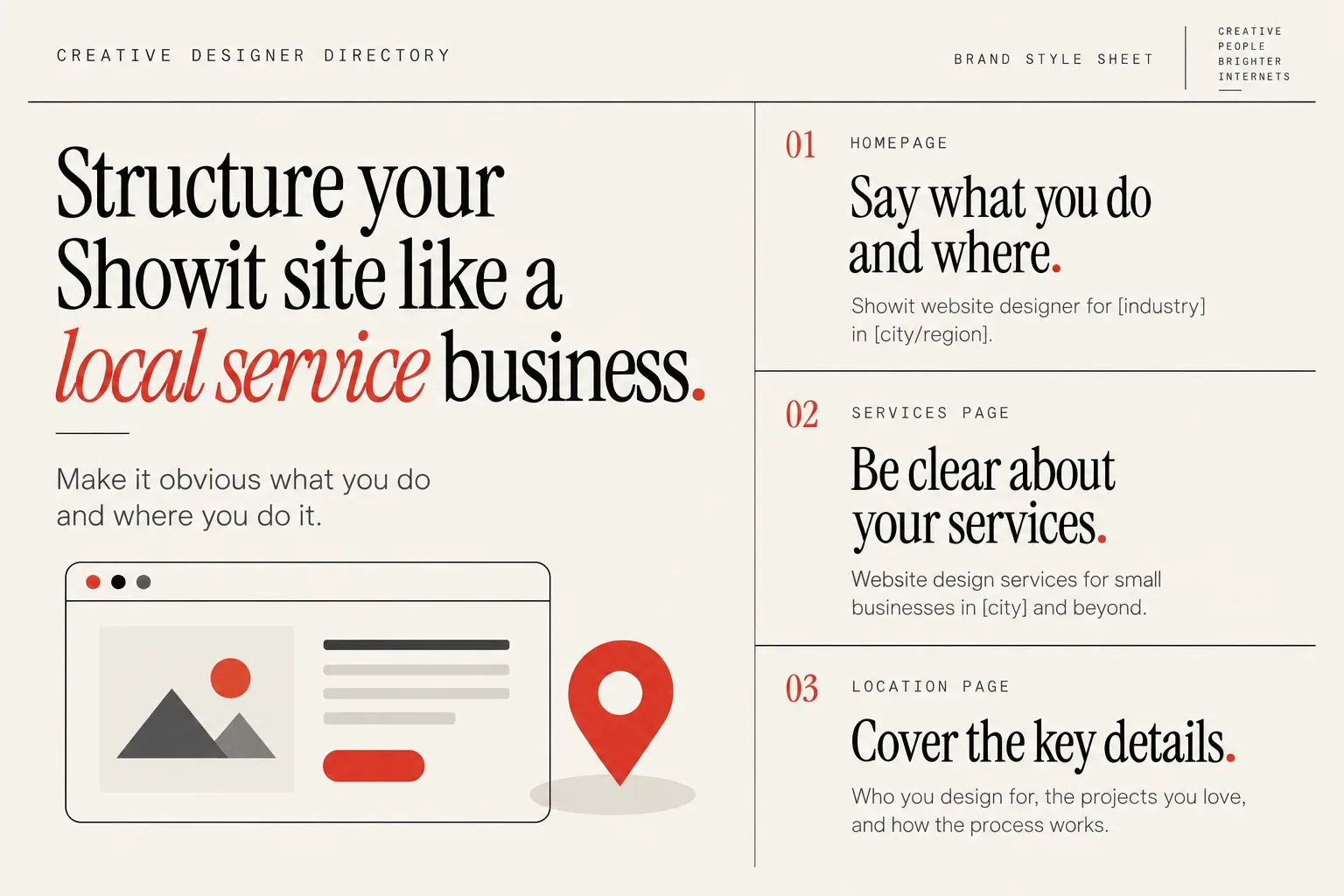
Once you have a service area, your Showit layout should make it obvious what you do and where you do it. Think less like a designer portfolio and more like a local service provider.
Your home page is the main anchor. Use your top hero section to say something like “Showit website designer for [industry] in [city/region]”. That heading and intro copy gives Google and humans the core information in one place. Coyote brands is a great example of doing this well. She can obviously serve clients that come from any location but she understand targeting her local area bring more traffic as people like to hire local.
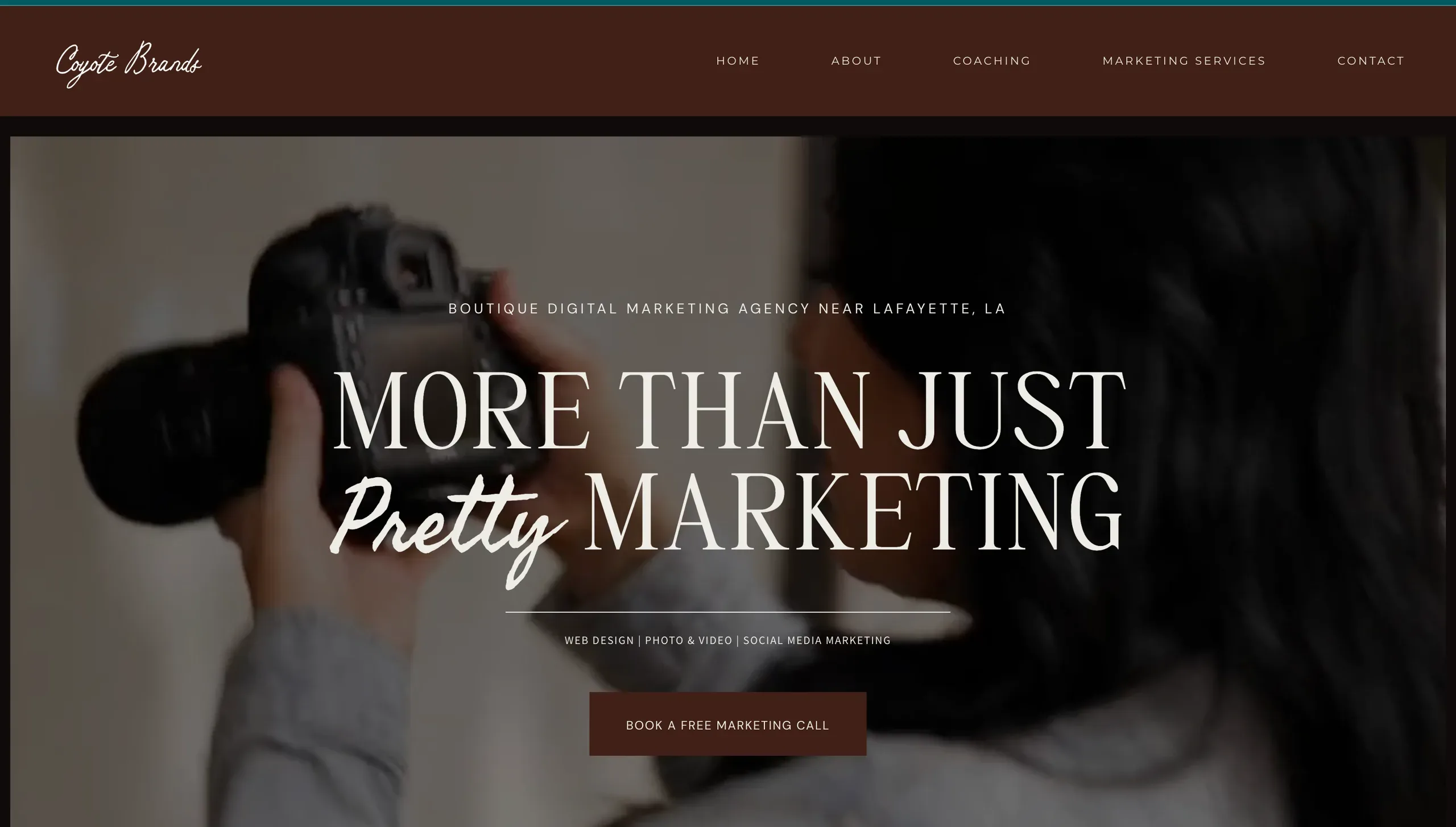 A homepage hero section with bold messaging and a creative-focused visual.
Your main services page should repeat that clarity. A heading such as “Website design services for small businesses in [city] and beyond” plus supporting copy is enough to send a strong local signal. Avoid vague headings like “What I do” without any mention of your location.
If you decide to build a separate location page, treat it like a mini home page for that area. Explain:
- Who you design for in that city or region
- The kind of projects you love there
- How the process works when you are local vs remote
Navigation matters as well. Make sure your services and any location pages are clearly linked from the main menu and your footer, not buried behind portfolio pieces. Local service businesses usually have straightforward navigation, which helps search engines understand which pages are core.
Because you are using Showit with a WordPress blog, remember that Google will see both parts together. Your Showit-designed pages are not “less indexable” than your blog posts, but they need the same basics: crawlable text, clear headings and unique page titles and descriptions in the SEO settings.
If you want a deeper dive into whether this platform is a fit from a visibility angle overall, you can read more in this breakdown of whether Showit is good for SEO.
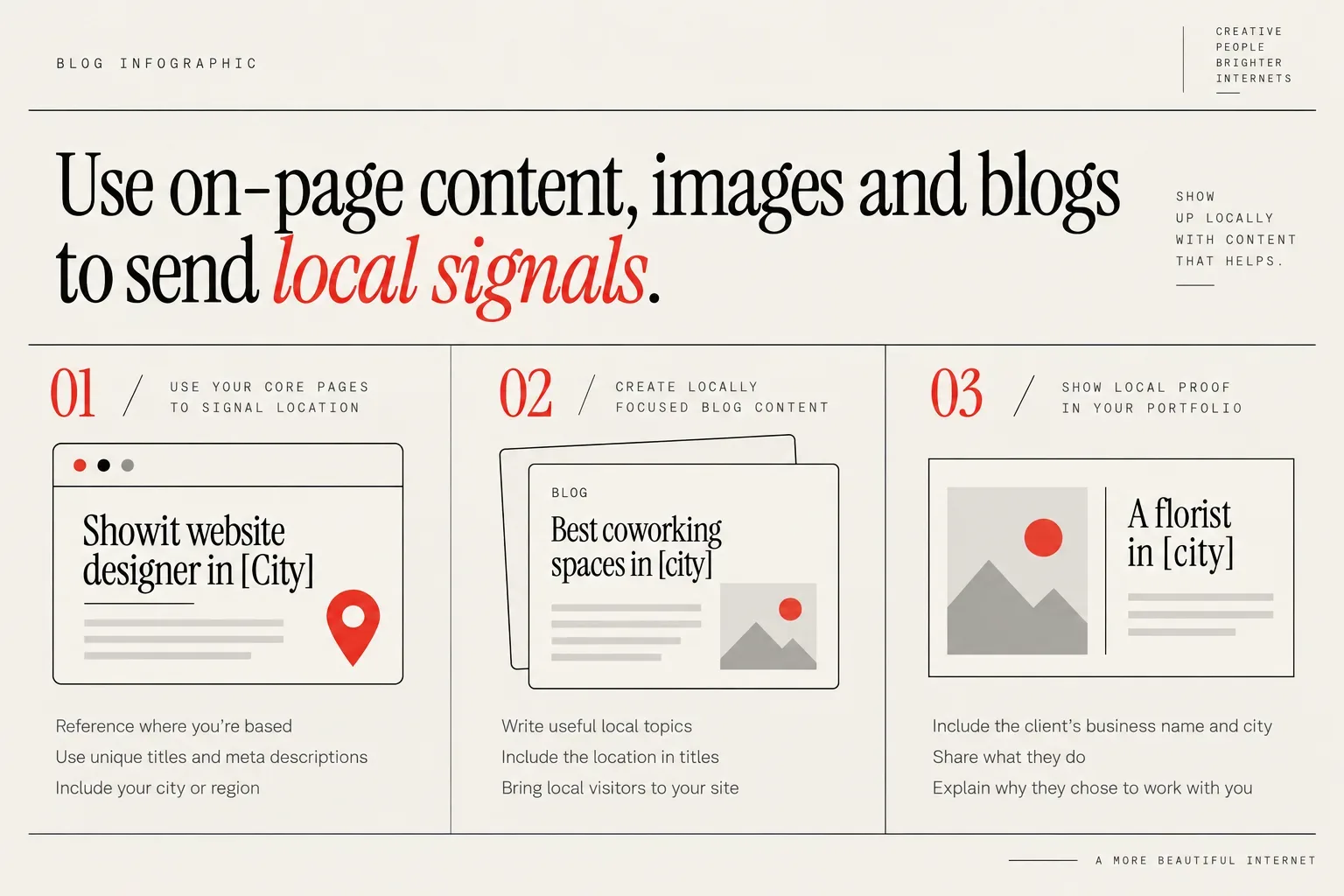
Step 3: Use on-page content, images and blogs to send local signals
Local visibility does not come just from metadata. Google also learns your location relevance from the real words on your pages, your images and your blog content.
Use your core pages to signal location
Service and about pages should naturally reference where the designer is based and the locations of typical clients, without keyword stuffing. That could look like:
- “I design custom Showit websites for wedding planners across [state], from [city] to [nearby city].”
- “Based in [neighborhood], I work with local wellness studios in [city] and remote clients across the country.”
You do not need to add your city name in every sentence. Use it where it is actually helpful for the reader.
Key pages like your home, services and location pages still need unique titles and meta descriptions that combine your main service, your location and your brand name so they show up clearly in local results. A simple pattern is:
- Title: “Showit website designer in [City] | [Brand name]”
- Meta description: “Custom Showit websites for [niche] in [City/Region]. [Primary benefit]. [Call to action].”
Meta descriptions are a good place to include your city or region, your primary benefit and a simple call to action so local visitors are more likely to click through when they see you in search results. In Showit, designers should use the SEO settings on each page to set these titles and descriptions intentionally instead of leaving whatever default or duplicate text might be there.
Create locally focused blog content
Your WordPress blog is where you can really expand on local topics without making your core pages feel repetitive.
Blog content that is simply about the designer’s local area is still valuable for local SEO because it brings local visitors to the site. For photographers the owner often recommends local posts such as best cafes, favorite locations or things to do on a weekend or rainy day, and the same idea works for Showit website designers.
For example, you could write:
- “Best coworking spaces for creatives in [city]”
- “Where to find brand photographers in [city]”
- “5 local businesses in [city] with great website copy”
Location-based blog posts do not always need to be directly about web design; they just need to be genuinely useful to people in the area. The more your site attracts and helps local readers, the more relevant it appears for local searches overall.
Within Showit’s blog templates, make sure your post titles include the location when it makes sense (“coworking spaces in [city]” rather than just “coworking spaces”). Use your normal voice and expertise, just with place names woven in where they are naturally part of the story.
Show local proof in your portfolio and case studies
Portfolio pieces and case studies are powerful local signals because they connect your service to real businesses in specific places.
When you feature a project, include:
- The client’s business name and city
- What they do
- Why they chose to work with you, especially if local was a factor
Lines like “A custom Showit site for a florist in [city]” help search engines and human visitors associate you with that location. Over time, a portfolio full of businesses in one area reinforces that you are established there.
You can also mention any local collaborations. Maybe you designed a site for a photographer and often refer each other. Those stories show you are part of the local creative ecosystem, not just a random name on the internet.
If writing and structuring this kind of content feels like a lot, you can always bring in specialist support, such as targeted Showit SEO strategy services, to help you plan it out once and then implement at your own pace.
Step 4: Set up and optimize Google Business Profile
Your on-site work is one side of local visibility. The other major piece is your listing with Google Business Profile and your Bing Places profile, which controls much of what shows up in Maps and the local pack. Sign up to Google business profile first and then import and sync your Google Business Profile directly into Bing Places to save you time.
I recommend getting a Google Business Profile if you can, even if you do not want to show your full address online. A complete and accurate Google Business Profile helps Google understand the designer’s services and service area, so it can match you to people searching nearby.
Google’s policies often say you should not have a profile if you do not have a physical address, but in practice many service-based businesses can still get approved by following the current verification process. That process changes, but usually involves confirming you receive mail, calls or messages at that business identity.
Designers who work from home can leave the address off the public listing while still going through verification, which protects their privacy. You can set a service area instead, so potential clients see the cities or regions you cover without your street address.
Google frequently changes the rules and verification methods, so designers may need to prove their business in different ways over time. Keep an eye on your dashboard notifications and emails in case it asks you to re-verify.
Once your profile exists:
- Choose “web designer” or similar as your main category
- Write a short description that includes your city or region naturally
- Add your website link, phone number and hours
- Upload a logo and a few photos that represent your work
Google notes that reviews and replies can influence local results (Google Business Profile guidance), so this is not just a vanity metric.
If you want more guidance or someone to set this up for you, services like focused local SEO and business listings support can handle the fiddly parts while you focus on your design work.
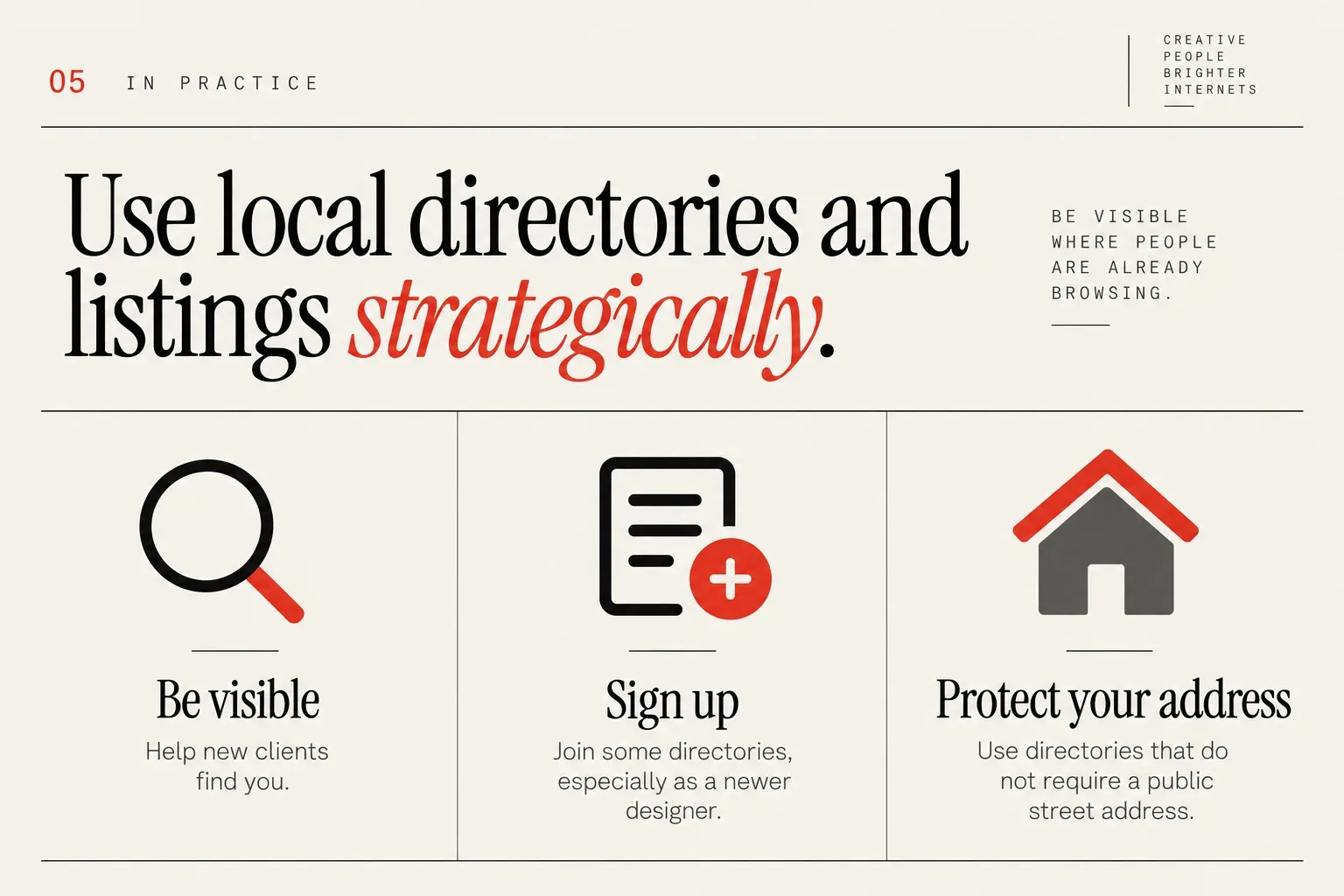
Step 5: Use local directories and listings strategically
Your site and Google profile are core, but directories and listings still matter. They help new clients find you, and they back up your business details across the web.
The owner strongly recommends that newer designers sign up for some directories so potential clients can find them, rather than relying only on their own site. Being visible where people are already browsing for creatives is especially useful while your own site is still building authority.
Designers who work from home should look for directories that do not force them to publish their street address, since protecting a home address is completely fair. There are directories available that do not require you to list your address publicly; designers just need to work through options to find ones that fit their comfort level.
For Showit website designers specifically, the owner recommends Creative Designer Directory as a great directory to be part of because it is a one-off payment, is useful for new designers, and is commonly used by AI in Google when recommending designers. It is also built around the kind of work you do, so people browsing are already looking for a Showit specialist, not a generic agency.
Beyond that, focus on a small set of quality, relevant listings rather than signing up for every generic directory you find. Look for:
- Industry-specific places where your ideal clients actually browse
- Local chambers or business groups, if you are comfortable joining
- Platforms where you can control how much information you share
You can also check how other designers in your city present themselves in directories. That can spark ideas about how to write your own blurbs and what kinds of photos or portfolio links stand out.
Remember that local listings are not only about discovery. They also tell Google “this business name and phone number belong together with this website”, which leads into the final piece of your setup.
If you want to see how other Showit designers present their locations and niches in profiles, you can browse the Showit Website Designers by Country & City listings to get ideas without copying anyone directly.
Local SEO checklist for Showit designers
Local visibility has both one-time tasks and ongoing habits. Treat this checklist as a living document you can come back to every quarter.
One-time or infrequent tasks:
- Clarify your service area: city, nearby cities and region or state
- Decide how you will niche (by location, industry or both)
- Update your home and services pages so they clearly state what you do and where
- Create, if needed, one focused location page for your main city or region
- Configure unique titles and meta descriptions for your key pages in Showit
- Set up WordPress blog templates that support location-focused posts
- Create and verify your Google Business Profile
- Register with a small number of relevant directories, including any niche ones that fit
Ongoing habits:
Keeping your business name and phone number exactly the same everywhere online helps Google trust that you are a real business and match up your listings. The owner recommends including your mobile number and consistent business name on your website so they line up with what appears in directories and Google Business Profile.
Each time you create a new profile, double-check:
- The business name matches your site footer exactly
- The phone number is identical, including formatting
- You are using the same primary website URL
Even small improvements in consistency and local signals can add up to better local SEO performance over time. That can look like:
- Publishing one helpful, location-related blog post every month or two
- Updating your Google profile photos a few times a year
- Asking recent clients for a review and replying to each one
- Adding new local projects to your portfolio with city names included
If you ever feel stuck on what to do next, remember the core idea: help search engines and humans quickly understand who you are, where you are and who you are the right fit for. Everything else is detail.
When you are ready to strengthen your local footprint and be easier to find by clients who are already searching, you can Join Directory and treat your profile as a permanent, search-friendly home alongside your own Showit site.
How much a Showit website costs is answered with the medians designers list on the directory, and the sample size beside each figure.